
IP whitelisting allows you to access our Residential Proxy pool by simply connecting via whitelisted IPs.
You can only add IPs that are in IPv4 format (xx.xx.xx.xx). Make sure that the IP you are adding is yours and you are not using a Proxy or VPN service at the time.
Create an IP whitelist
To whitelist IP addresses log in to the Dashboard, on the left hand side select Account Settings → Using Confguration → Create Whitelist click on ADD. enter IPs in correct format. Click Confirm to submit the list.
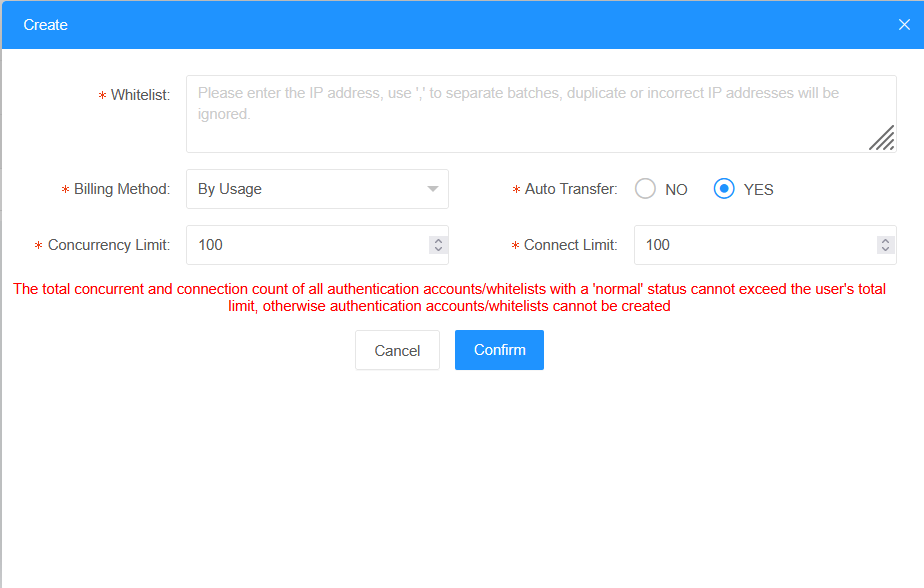
If you want to remove or update the list, click Edit or Delete button in Operate column.
After setting the IP whitelist, call the API command Get proxy IP port to obtain port resources.
curl -x socks5://global.proxyforu.com:12596 ipinfo.io
{
  "ip": "45.189.221.11",
  "hostname": "45-189-221-11.deltacorporate.com.br",
  "city": "Itinga",
  "region": "Minas Gerais",
  "country": "BR",
  "loc": "-16.6131,-41.7653",
  "org": "AS264598 DELTA TELECOM",
  "postal": "39610-000",
  "timezone": "America/Sao_Paulo",
  "readme": "https://ipinfo.io/missingauth"

}
Whitelisting IPs can be used by referring to the reference document.
If you need more IPs, please get in touch with our customer support team at service@proxyforu.com. IP whitelisting allows you to access our Residential Proxy pool by simply connecting via whitelisted IPs.